Skip to content
sol77 Sports / Slots
LIVE LOBBY

sol77 — Live Casino, Cricket Betting and Slots in One Place

From live dealer tables and cricket markets to fan-favourite slot rooms, sol77 puts the full game catalogue in your mobile browser — no download needed. Your Nagad, Rocket or bKash wallet connects straight to your account, so you can check your balance and start playing without leaving the page.

bKash Nagad Rocket
Browse games
CONTENT / 01

Crash HotSpin and Rangpur Fruit Slots in the Slot Lobby

Two titles worth looking at when you first open the slot lobby are Crash HotSpin and Rangpur Fruit Slots. Crash HotSpin uses a multiplier-style mechanic where you set your cash-out point before the round ends — the game window shows the active multiplier and your open position in real time, with no additional information to track outside the game screen itself.

  • Crash HotSpin

  • Rangpur Fruit Slots

  • Mobile Browser Ready

DISCOVER / 01

Choose your game

Full lobby
CONTENT / 02

Casino, Slots and Sports in One Catalogue

The sol77 game catalogue covers live casino tables, slot rooms, crash titles and a sportsbook with cricket at the front. Open any category from the lobby rail and the full selection loads in your browser — no app installation, no extra steps. The catalogue updates automatically, so what you see reflects what is actually live and available in your region right now.

GAME NETWORK
JDB
Spadegaming
CQ9
Pragmatic Play
Bigtime Gaming
CONTENT / 04

sol77 lobby studios

The sol77 lobby carries content from JDB, Spadegaming, CQ9, Pragmatic Play, Bigtime Gaming. To check the studio, rules or features of one specific game, open that game card or the published information panel.

  • JDB

  • Spadegaming

  • CQ9

  • Pragmatic Play

  • Bigtime Gaming

LOCAL PAYMENTS

Nagad, Rocket and Upay Are Your Main Account Rails

Your account wallet connects to Nagad, Rocket and Upay as primary mobile payment routes. Each method appears in your account's deposit section with its own field set — enter the amount, follow the on-screen steps and confirm through your mobile wallet app exactly as you would for any regular transfer. Withdrawal requests route back through the same method you used to fund, so the path is consistent and traceable from your account history.

  • Nagad

  • Rocket

  • Upay

  • bKash

  • Bank Transfer

Banking
ACCOUNT SETUP PATH

Four Steps From the Home Page to Your First Session

The account journey at sol77 is ordered in a way that keeps your payment and session settings visible before you commit any funds. Step one is opening the account form from the home page — fill in the fields shown and submit. Step two is confirming your contact details through the verification message sent to you; check the inbox or notification channel specified in the form. Step three is navigating to your account wallet to connect your preferred mobile payment method — Nagad, Rocket or Upay — following the fields shown in the deposit section.

  1. Open the account form

  2. Confirm your contact details

  3. Connect your mobile wallet

  4. Review your session controls

MEMBER DESK / 06

Offers, support and account controls

01

Game lobby

02

Payment guide

03

Support

ACCOUNT DESK

Account information

Review current account information after signing in.

Login
CRICKET AND LIVE TABLES

Cricket TargetBets and Live Dealer Bangladesh Side by Side

Cricket TargetBets and Live Dealer Bangladesh sit in separate lobby sections but your account switches between them without logging out or reloading the page. Cricket TargetBets covers the sportsbook side — the market list shows available match types and betting categories at the time you open it. IPL and BPL matches appear in the cricket section when they are scheduled and active; what you see reflects real availability, not a permanent catalogue.

  • Cricket TargetBets

    Sportsbook section covering cricket match categories. IPL and BPL markets appear when scheduled. What you see is live availability, not a static list.

  • Live Dealer Bangladesh

    Live casino tables from the Pragmatic Play suite. Table rules display inside the game window. Accessible from the main lobby navigation without re-logging in.

ACCOUNT HELP ROUTES

Three Ways to Reach Account Support

Account care at sol77 is built around three published contact routes, each suited to a different situation. For urgent account access issues — a sign-in problem, a wallet connection error or a verification hold — the live chat route in the Help section gives you a direct channel where your account reference can be pulled up immediately. For payment queries where you need a written trail, the email support route is the better path; include your account ID and the transaction reference from your wallet history and the support team can match the record on their side.

  • Live Chat

    Open the Help section and start a live chat for urgent account access or payment issues. Your account reference speeds up the process — have it ready before you connect. Available from inside your signed-in account area.

  • Email Support

    Use the email route for payment queries that need a written record. Include your account ID and the transaction reference from your Nagad, Rocket or Upay wallet history so the team can match it quickly on their side.

  • Help Section FAQ

    The searchable FAQ in the Help section covers account setup, wallet connection, session controls and common withdrawal questions. It is available before you sign in, so you can check steps before creating an account.

MOBILE BROWSER ACCESS

The Full Lobby Runs in Your Phone Browser

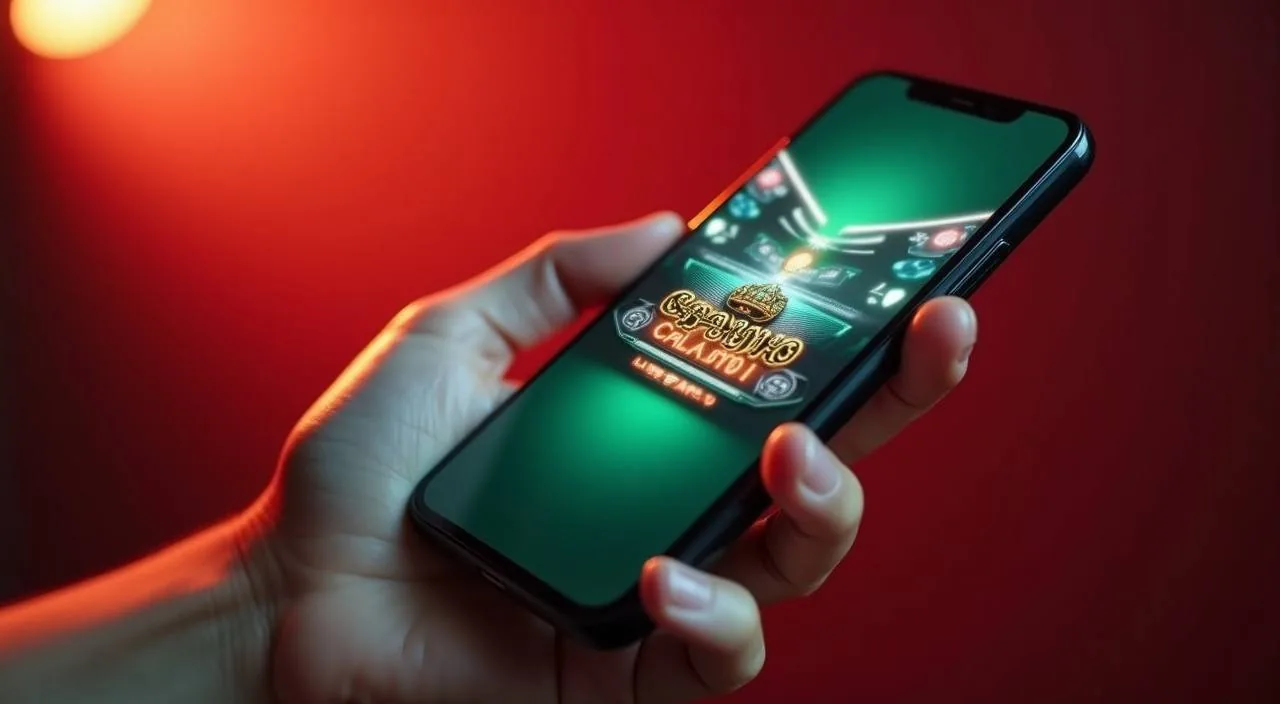
There is no separate app to download. The sol77 lobby is built to run in your mobile browser — Android or iOS — at the same resolution and with the same account features you get on desktop. Navigation sits in a bottom-tab layout on smaller screens so you can move between the sportsbook, live casino and slot sections with a single tap.

  • No Download Needed

    The full lobby — slots, live casino, sportsbook and account wallet — runs in your mobile browser. No app store installation, no device storage used beyond the browser cache.

  • Mobile Wallet Integration

    Nagad, Rocket and Upay deposit and withdrawal steps work inside the browser. Confirmation uses your existing mobile wallet app flow — the same way you send money normally.

  • One-Thumb Account Menu

    Account settings, session controls and the Help section are accessible through a single-tap mobile menu. Designed for phone navigation so you do not need to switch to desktop for account management.
CONTENT / 03

The Full Lobby Runs in Your Phone Browser

There is no separate app to download. The sol77 lobby is built to run in your mobile browser — Android or iOS — at the same resolution and with the same account features you get on desktop. Navigation sits in a bottom-tab layout on smaller screens so you can move between the sportsbook, live casino and slot sections with a single tap.

  • No Download Needed

    The full lobby — slots, live casino, sportsbook and account wallet — runs in your mobile browser. No app store installation, no device storage used beyond the browser cache.

  • Mobile Wallet Integration

    Nagad, Rocket and Upay deposit and withdrawal steps work inside the browser. Confirmation uses your existing mobile wallet app flow — the same way you send money normally.

  • One-Thumb Account Menu

    Account settings, session controls and the Help section are accessible through a single-tap mobile menu. Designed for phone navigation so you do not need to switch to desktop for account management.

TRUST / 03

Account Controls That Are Visible Before You Deposit

The session and limit controls in your sol77 account are not buried in a back-page settings menu — they are shown as part of the account setup flow, before any funds move. This ordering is deliberate. We present limit options, session duration settings and the published policy routes at the point where they are most useful: before you open the first game, not after.

  • Limit Controls in Account Setup

    Session and spending limit options appear during the account setup flow, not after you have already deposited. Review and set them before your first session opens so the controls match how you want to play.

  • Full Transaction History

    Every deposit and withdrawal is recorded against the payment method you used — Nagad, Rocket or Upay. Open the wallet section of your account at any time to see the full history with reference numbers and status.

  • Published Policy Routes

    The session policy, terms and account management rules are published in the Help section and the site footer. They are available before sign-in, so you can read them before committing to account creation.

  • Regional Eligibility

    Account access and all features depend on local law and the eligible region under which your account is registered. If eligibility is uncertain, the Help section FAQ covers how to check before you proceed.

Learn more →
PLAYER INDEX / 07

Common Account and Payment Terms Explained

This section covers the specific words and labels you will see inside your sol77 account and wallet screens. Understanding these before you deposit means you can follow the steps without needing to pause and look things up mid-session. The definitions here reflect how the platform uses these terms — they are not generic dictionary definitions.

Player guide and glossary
  • What does 'account wallet' mean on sol77?

    Your account wallet is the balance section inside your signed-in account. It shows your current available balance, your pending transactions and your payment method connections. Deposits from Nagad, Rocket or Upay arrive here first, and withdrawals leave from here. It is separate from your mobile wallet app — the account wallet is the platform-side record of your funds.

  • What is a 'wallet verification' step?

    Wallet verification is the process of confirming that the Nagad, Rocket or Upay number you connected to your account belongs to you. The steps shown in your account guide you through this — typically a small confirmation transfer or a reference code. Until verification is complete, some payment actions may be limited. The exact steps are shown in the deposit section of your account.

  • What does 'session control' mean in the account settings?

    Session controls are limit and duration options you set in your account to define how long and how much you play in a given period. They appear during setup and can be adjusted later from the account menu. They are policy tools built into your account, not marketing features. Changing them takes effect according to the rules shown in your account settings at the time of adjustment.

  • What is a 'transaction reference number'?

    Each payment movement — deposit or withdrawal — generates a reference number stored in your account's wallet history. This number identifies the specific transaction on both the platform side and your mobile wallet app side. If you contact support about a payment, quoting this reference number lets the team locate the record quickly without needing additional account details from you.

  • What does 'eligible region' mean for account access?

    Eligible region refers to the legal jurisdiction under which your account is permitted to operate. Access to games, payment methods and account features depends on local law in your location. sol77 does not override local legal requirements. If you are unsure whether your region qualifies, the Help section FAQ covers the steps for checking before you create or fund an account.

  • What is RTP and where can I see it?

    RTP stands for Return to Player — it is a percentage figure that some game studios publish to describe the statistical return of a slot or table game over a large number of rounds. On sol77, RTP is only shown where the individual studio exposes it inside the game window. We do not publish RTP figures externally or make up numbers where the studio has not provided them. Check the game window itself for any available figure.

  • What is the difference between a deposit and a transfer in the account wallet?

    A deposit is money moving from your Nagad, Rocket or Upay wallet into your sol77 account balance. A transfer in some account contexts refers to moving balance between sub-sections of your account — for example, from a main wallet to a game wallet. The labels and available actions depend on your account type and the current layout. Follow the field labels shown in your account rather than assumed flows from external descriptions.

Full glossary
LOBBY / 02

One mobile lobby, distinct game areas

Cricket TargetBets Sports Cricket TargetBets Access → Live Dealer Bangladesh Live Live Dealer Bangladesh Access → Nagad MoneyZap Slots Nagad MoneyZap Access → Football FastGoal Sports Football FastGoal Access → Crash HotSpin Slots Crash HotSpin Access → Rangpur Fruit Slots Slots Rangpur Fruit Slots Access →
EXPLORE FURTHER / 04

Explore detailed guides

Local lobby check

QUICK ANSWERS

Frequently asked questions

These are the questions we see most often from people visiting sol77 for the first time or returning after a gap. Each answer describes the actual process shown in the platform rather than a generic industry standard — follow the steps in your account for the precise current instructions.

Read FAQ →
How do I open an account at sol77?

Open the account creation form from the home page or the sign-in screen. Fill in the required fields — these are shown on screen and vary based on your registration path. Submit the form and follow the verification step sent to your contact channel. Once confirmed, your account is active and you can connect a payment method from the wallet section. The full sequence is described in the steps section of this page.

Which payment methods can I use to deposit?

Nagad, Rocket and Upay are the primary mobile wallet payment methods configured for sol77 accounts in supported Bangladesh regions. bKash is also listed as an option. Bank Transfer is available for accounts where it has been enabled. The methods visible in your account deposit section reflect what is active for your specific account and region. Not all methods may appear for every account stage.

Can I access sol77 on my phone without downloading an app?

Yes. The full lobby — including live casino tables, slots, crash games and the sportsbook — runs in your mobile browser on Android and iOS. There is no app to install. Open the site URL in your browser, sign in and the lobby loads at mobile resolution with the same account features available on desktop. Your Nagad, Rocket or Upay payment actions work through the browser session without switching apps.

What cricket markets does sol77 cover?

The sportsbook section includes cricket as the primary sports category. IPL and BPL matches appear in the cricket market list when they are scheduled and live. The available markets — match betting, session-style bets and other category types — are shown in the sportsbook at the time you open it. We do not publish a permanent fixture list here; what you see in the lobby reflects real-time availability. No odds or results are fabricated — market data comes from the live sportsbook feed.

How do I check the status of a withdrawal?

Open your account wallet and navigate to the transaction history section. Each withdrawal shows its current status alongside the reference number and the payment method used — Nagad, Rocket or Upay. If the status has not updated after the time frame described in your account's withdrawal terms, use the email support route and include the transaction reference number. The support team can locate the record using that reference without you needing to provide additional details.

Is sol77 available in all regions of Bangladesh?

Availability depends on your location and the local law that applies there. sol77 does not make blanket claims about full national coverage. When you create an account, the registration process applies eligibility checks based on the information you provide. If a feature or payment method is not visible in your account, it may be restricted for your eligible region. The Help section FAQ covers how to raise a query if something you expect to see is not appearing.

What should I do if I cannot sign in to my account?

First, check that you are using the correct email or phone number associated with your account — the sign-in screen shows which field is expected. If credentials are correct and access is still blocked, use the account recovery option on the sign-in page; the steps there guide you through re-verifying your contact details. For issues not resolved by the recovery flow, open the live chat route in the Help section with your account reference number ready so the support team can assist directly.

Where can I find the terms and session policy for my account?

The full terms and session policy are published in the Help section and linked from the footer of every page on the site. They are accessible before you sign in, so you can read them as part of deciding whether to create an account. Session control rules — including how limits are applied and how changes take effect — are described there. If any part of the policy is unclear, the Help FAQ or the email support route can provide clarification against your specific account situation.

READY WHEN YOU ARE

sol77 game lobby

Access may be available only where local law permits.

Register Login